White Calibration sequence
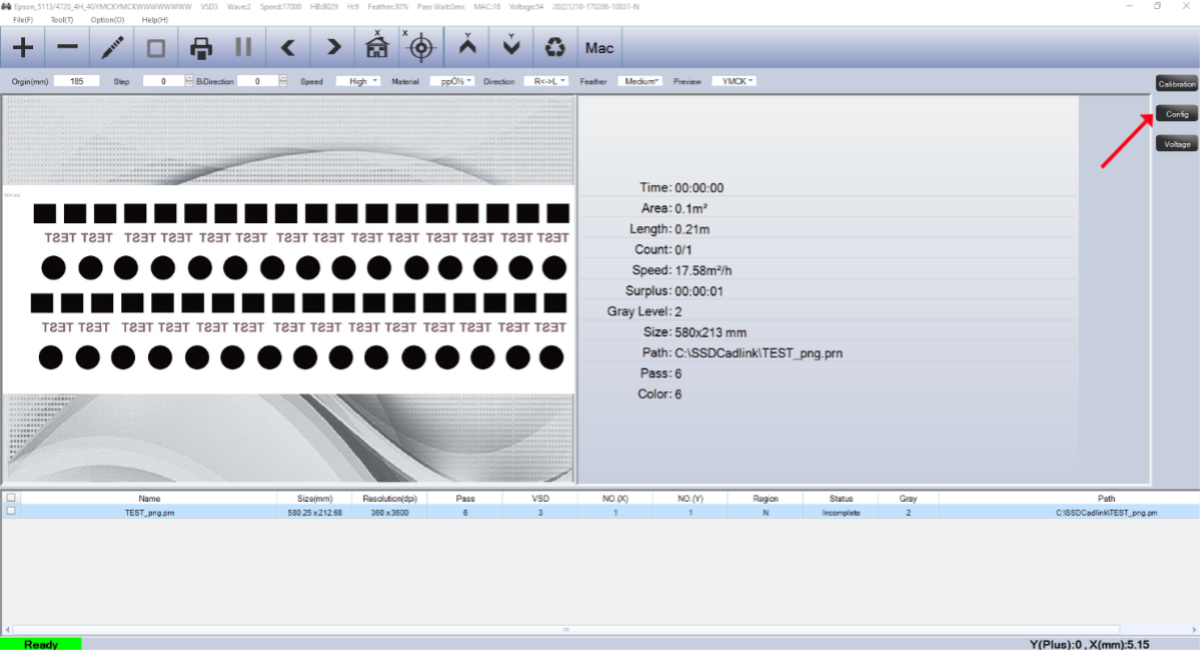
Step 1 press config tab
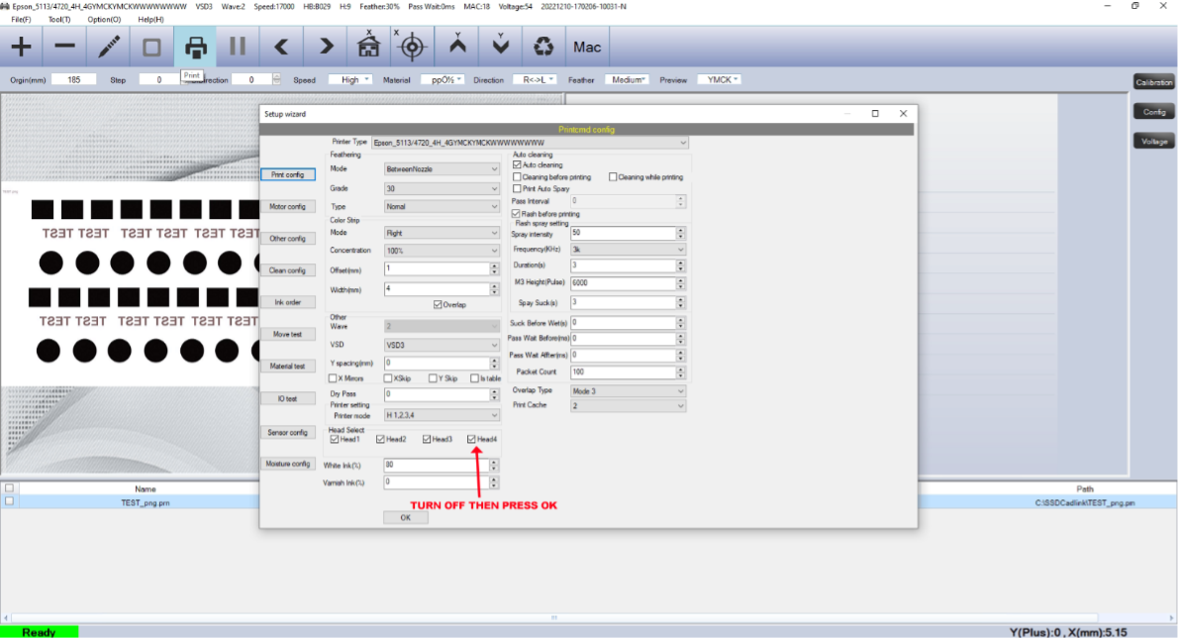
Step 2 turn head 4 off
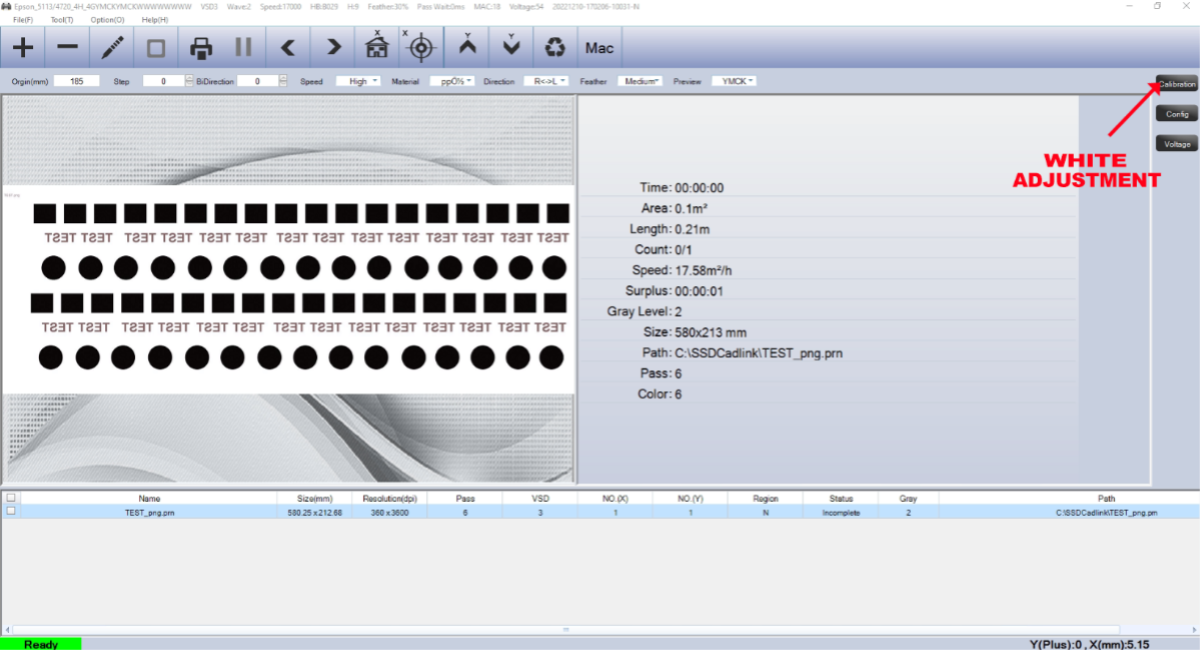
Step 3 press calibration
Step 4 left only first
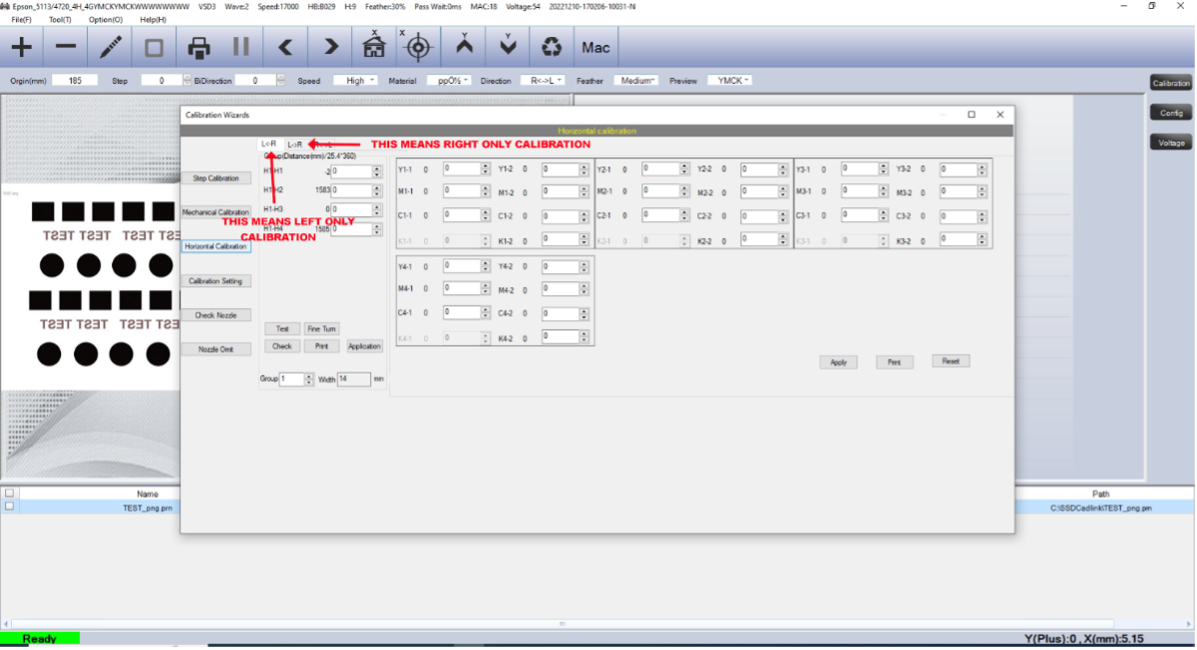
Step 5 set printer to print left only
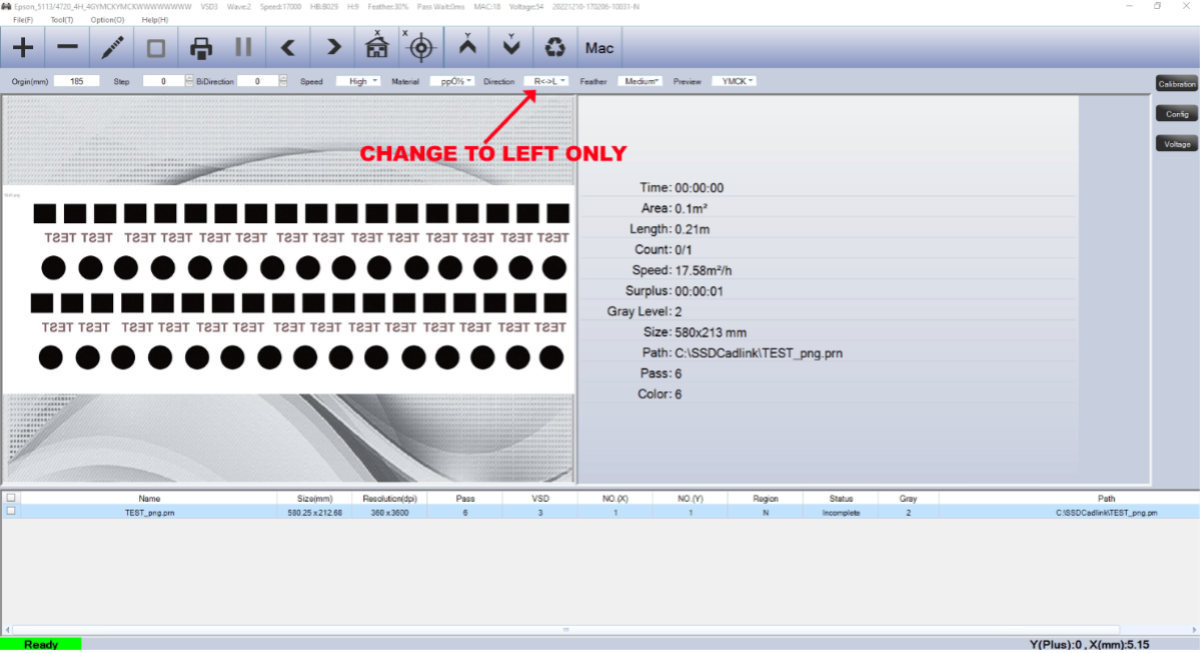
Step 6 open test file and print
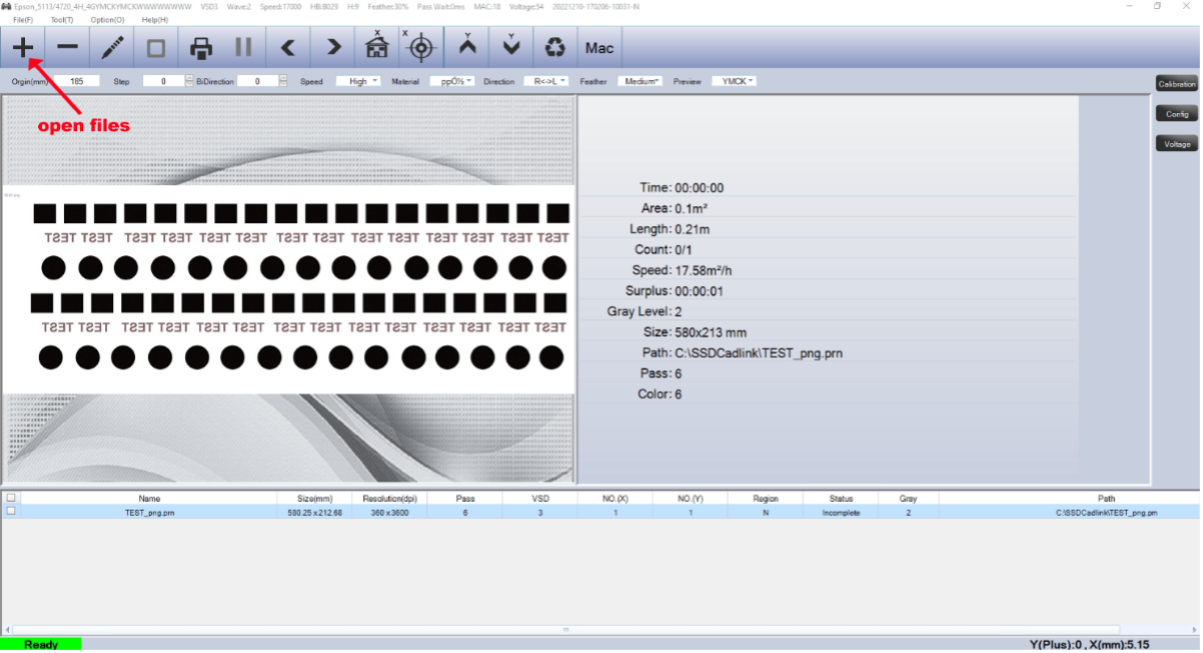
Step 7 If white needs moving left as you look at the back of the image increase the number then press application.
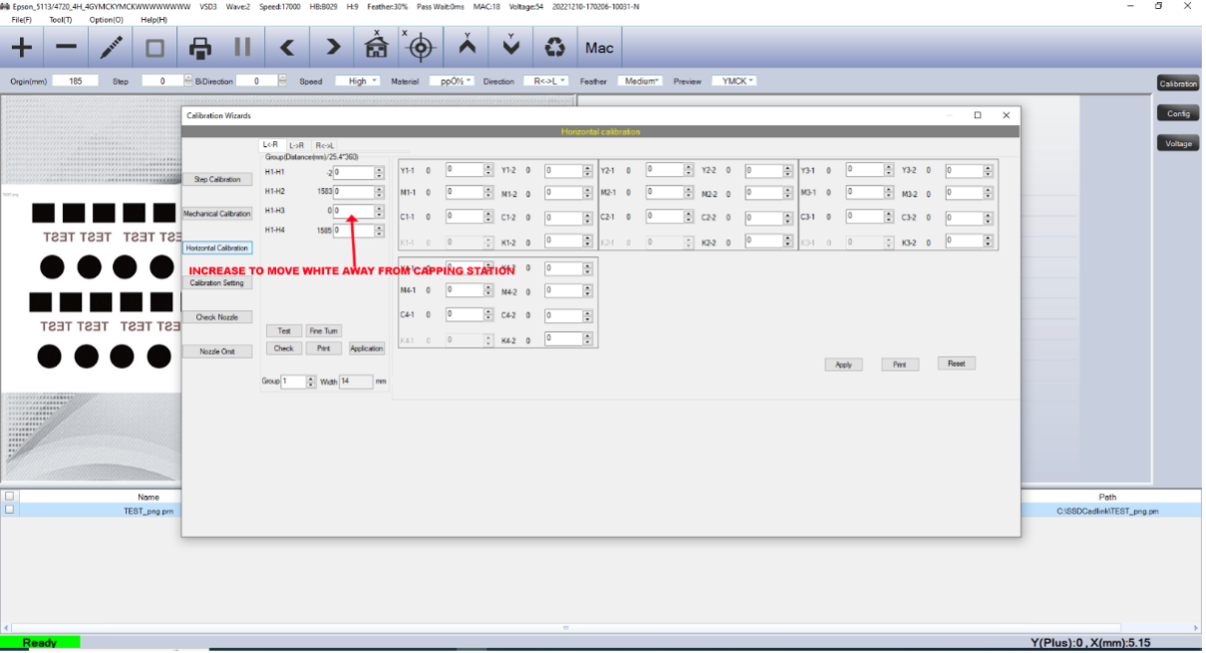
If white needs to move right as you look at the back of the image decrease the number then press application.
Print and adjust until happy.
When you are happy the white sits central on the colour repeat this process with right only printing.
Then move on to head 4 calibration.
Turn head 3 off and head 4 on and repeat the full process calibrating left and right only printing.